




HiBySupport library
Player firmware and USB DAC help
Choose the exact HiBy model in the manufacturer help center. Compatibility is listed there.
Open official resource 7HZ x Crinacle Zero: 2Dynamic Driver
From $24.99 USD
7HZ x Crinacle Zero: 2Dynamic Driver
From $24.99 USD
 Tripowin ZonieAudio Cable
From $11.47 USD
Tripowin ZonieAudio Cable
From $11.47 USD
 7HZ Salnotes ZeroDynamic Driver
From $20.99 USD
7HZ Salnotes ZeroDynamic Driver
From $20.99 USD
 SIMGOT EW300Dynamic Driver + Planar + Piezoelectric
From $79.99 USD
SIMGOT EW300Dynamic Driver + Planar + Piezoelectric
From $79.99 USD
 TANGZU Wan'er S.GDynamic Driver
From $19.00 USD
TANGZU Wan'er S.GDynamic Driver
From $19.00 USD
 Kiwi Ears CadenzaDynamic Driver
$34.99 USD
Kiwi Ears CadenzaDynamic Driver
$34.99 USD
 KZ ZS10 ProDynamic Driver + Balanced Armature
From $49.99 USD
KZ ZS10 ProDynamic Driver + Balanced Armature
From $49.99 USD
 SIMGOT EM6LDynamic Driver + Balanced Armature
$124.99 USD
SIMGOT EM6LDynamic Driver + Balanced Armature
$124.99 USD
 Tripowin GranViaAudio Cable
From $36.75 USD
Tripowin GranViaAudio Cable
From $36.75 USD
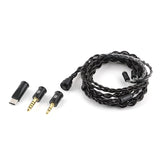 Kiwi Ears x B_Media: TerrasAudio Cable
From $45.99 USD
Kiwi Ears x B_Media: TerrasAudio Cable
From $45.99 USD
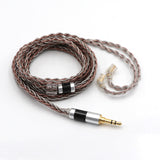 Tripowin C8Audio Cable
From $16.65 USD
Tripowin C8Audio Cable
From $16.65 USD
 XENNS Mangird Tea PRODynamic Driver + Balanced Armature
$359.00 USD
XENNS Mangird Tea PRODynamic Driver + Balanced Armature
$359.00 USD
 7HZ TimelessPlanar
$199.99 USD
7HZ TimelessPlanar
$199.99 USD
 SIMGOT SuperMix 4Dynamic Driver + Balanced Armature + Planar + Piezoelectric
$169.99 USD
SIMGOT SuperMix 4Dynamic Driver + Balanced Armature + Planar + Piezoelectric
$169.99 USD
Find manuals, drivers and firmware at their official source. Check the full model name, hardware revision and operating system before installing.
This directory isn’t a complete file library. Ask for the exact resource instead of trying software for a similarly named model.
Choose the exact HiBy model in the manufacturer help center. Compatibility is listed there.
Open official resourceOfficial application directory. Confirm platform and device support before installing.
Open official resourceThe manufacturer library separates manuals, drivers, firmware and tutorials.
Open official resourceOfficial manual page for D50 III. Check the model printed on your unit.
Open official resourceManual page for E70; other E70 editions may differ.
Open official resourceManual, driver and firmware links on the official SD-9 page. Read the instructions before updating.
Open official resourceOfficial DP5 SE page with manual and driver resources. This is not the original DP5.
Open official resourceThe store’s download archive. Ask us when the exact resource isn’t listed.
Open official resourceSoftware should solve a known problem. A newer file alone isn’t a reason to change a working device.
Match the product label, revision and region with the resource. Don’t substitute a similarly named model.
Check the operating system, release notes and preparation steps on the official page.
Send support the model and current version. Don’t disable security warnings or use an unofficial mirror.
Community
Linsoul was founded in 2016 by Crazy HiFi team with the intention of providing world class customer service to the audiophile and music loving communities.
 Announcements🚀 Kiwi Ears Halcyon – World’s First MEMS Tribrid IEM Coming to Kickstarter (April 2026)
 AnnouncementsTHIEAUDIO Cypher Giveaway Ends 2 March – Don’t Miss the Kickstarter Launch!
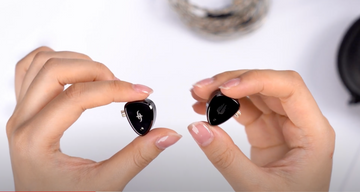 UnboxingSimgot EM6L Unboxing and Impressions
 Reviews7Hz x Crinacle Diablo Review
 GuidesHow to Wear In-Ear Monitors Correctly


